I-Share
Configuring OCLC Connexion Browser for Export to Alma
OCLC Connexion is a service available to all OCLC member libraries that have a cataloging subscription, which includes all I-Share member libraries. Connexion is available via both a web browser and a desktop-based client, and is one of several options for transferring records from WorldCat to Alma. Instructions for exporting are covered separately.
Note: OCLC has announced that support for Connexion Browser will end April 30, 2024. Libraries are encouraged to adopt either the Connexion Client or Record Manager before that time.
The following instructions cover the settings needed to export bibliographic records from WorldCat to the CARLI Network Zone using the Connexion web browser method. For many libraries, this will be a one-time setup process per account authorization. If you will be using Connexion Browser to export to a different Alma repository--such as your institution zone or one of the premium sandboxes--you will use different values for the Host Name, ID, and Password, and you will need to change settings back in order to export to the Network Zone.
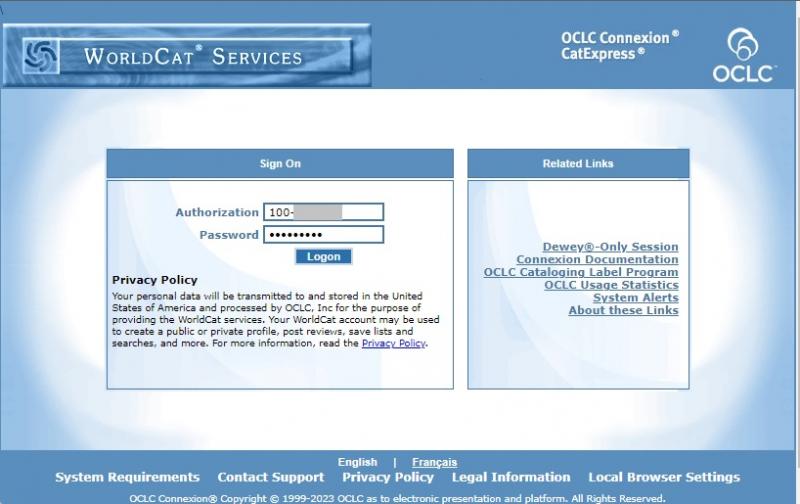
- Connect to Connexion Browser at the OCLC Services Login page, then select Connexion under Metadata Services.
- Enter your cataloging credentials (e.g., an account that looks like 100-###-###), then click Logon.
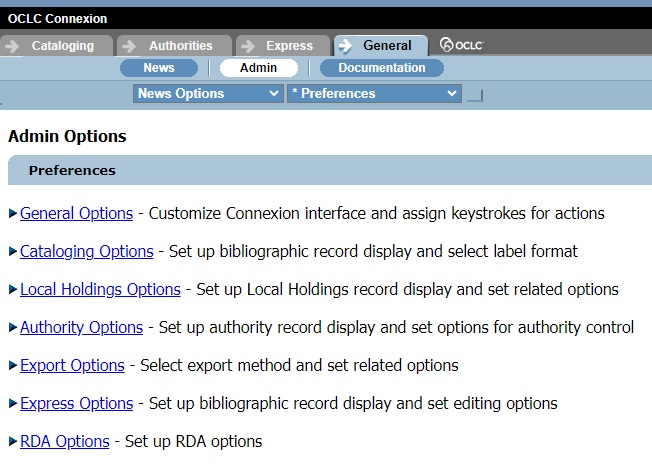
- Click General.
- Click Admin.
- Click Export Options.
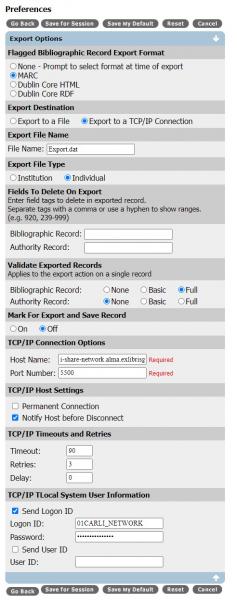
- Enter settings as documented below to configure export to the CARLI Network Zone.
Settings to configure Connexion Browser for export to the CARLI Network Zone Setting Value Flagged Bibliographic Record Export Format MARC Export Destination Export to a TCP/IP Connection Export File Name not needed for TCP/IP export Export File Type Individual Fields to Delete on Export institution preference Validate Exported Records: Bibliographic Record Full Validate Exported Records: Authority Record None Mark for Export and Save Record Off TCP/IP Connection Options: Host Name: i-share-network.alma.exlibrisgroup.com TCP/IP Connection Options: Port Number 5500 TCP/IP Host Settings: Permanent Connection unchecked TCP/IP Host Settings: Notify Host before Disconnect checked TCP/IP Timeouts and Retries: Timeout 90 TCP/IP Timeouts and Retries: Retries 3 TCP/IP Timeouts and Retries: Delay 0 TCP/IP Local System User Information: Send Logon ID checked TCP/IP Local System User Information: Logon ID 01CARLI_NETWORK TCP/IP Local System User Information: Password TCP/IP Local System User Information: Send User ID unchecked TCP/IP Local System User Information: User ID blank - Click Save My Default to retain these preferences. If making temporary changes, select Save for Session.